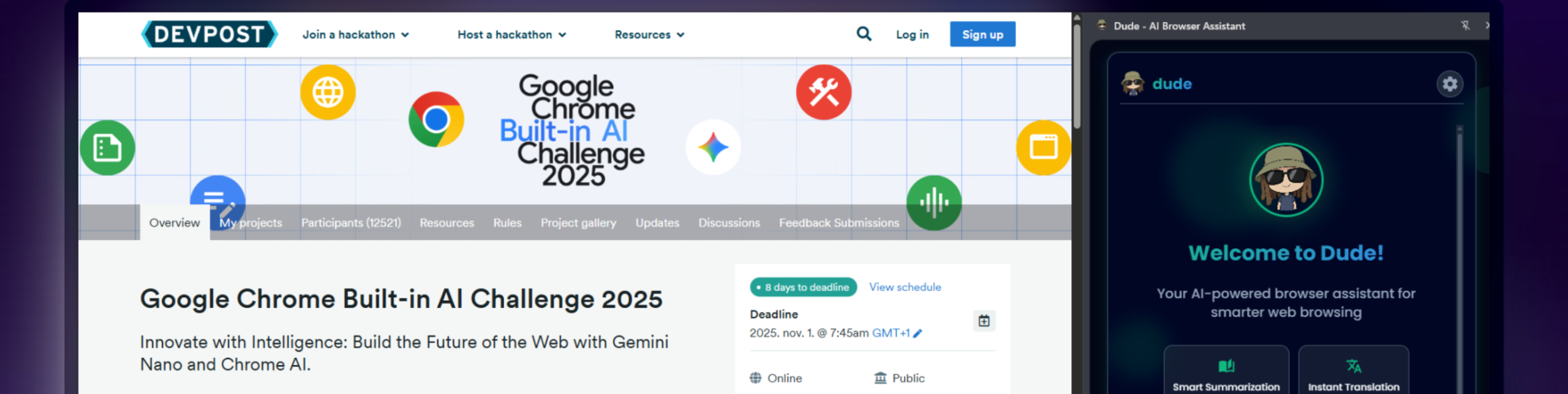
👋 Meet “Dude” — A Hackathon Project That Changed How I Browse the Web
🧭 Contents
-
Why I Needed Something Like This
-
What Is Dude?
-
What It Does (and Why It’s Useful)
-
How It Works Under the Hood
-
What About Privacy?
-
Real Stories — How It Helps Others
-
How to Try It
-
What’s Next
Why I Needed Something Like This
Honestly? I got tired of information overload.
I spend hours every day reading, researching, clicking around — yet somehow, I remember almost nothing. Tabs, notes, bookmarks, chaos everywhere… sounds familiar?
As a developer who likes to build stuff after work and at hackathons, I eventually realized:
the problem isn’t lack of information — it’s lack of filtering.
I didn’t need more content, I needed a smarter way to make sense of it.
That’s how Dude was born — for the Google Chrome Built-in AI 2025 Challenge.
What Is Dude?
Dude is a Chrome extension I built to make browsing enjoyable again.
It’s not a corporate product or an ad campaign — just a small, useful tool I originally made for myself.
Think of it as a helpful buddy who:
-
reads long articles for you,
-
translates whatever you need,
-
filters out fake news,
-
and saves the stuff that actually matters.
That’s Dude — fast, local, and secure.
What It Does (and Why It’s Useful)
🧠 Instant Summaries
No more endless walls of text. Dude gives you a clean, digestible summary of key ideas, arguments, and data — in just a few seconds.
You can even choose the summary style (more customization coming soon).
🌍 One-Click Translation
Stumbled upon a text in another language? Or forgot a tricky term in a technical paragraph?
Just highlight → translate → done.
It doesn’t break the page or open new tabs — it blends right in, naturally.
🔍 Fact-Checking, So You Don’t Get Fooled
Dude estimates how credible a source is and helps you spot bias or suspicious claims.
It returns a quick score based on several factors —
from verifying sources and checking for AI-generated text, to evaluating link safety and misinformation risk.
It’s not here to decide for you — just to give you data so you can decide smarter.
🎧 Voice Output
Cooking, commuting, or just too lazy to read?
Ask Dude out loud to summarize, translate, or rewrite something for you —
with clear, friendly voice feedback.
💾 A Personal Knowledge Base You’ll Actually Use
Save the good stuff — articles, ideas, facts — in a clean, ad-free format.
Export to Markdown or JSON and import straight into Obsidian, Notion, or any database you like.
It’s your own little AI-assisted notebook.
How It Works Under the Hood
Dude uses Chrome’s new on-device AI APIs (Gemini Nano and friends).
That means most of the processing happens locally, right on your machine — nothing leaves your device.
👉 For developers:
const summarizer = await window.ai.summarizer.create();
const summary = await summarizer.summarize(selectedText);
// Example using the Summarizer API
It’s fast, private, and even works offline.
Advanced users can connect their own Gemini API key to run it in the cloud if they prefer.
What About Privacy?
In short: your data stays on your computer.
-
Dude doesn’t send or sell data anywhere.
-
Everything stored is encrypted.
-
Permissions are kept to the bare minimum.
-
Full transparency — you can delete or export your data anytime.
No tracking, no analytics, no hidden sharing.
Dude isn’t a product — it’s a tool.
Real Stories — How It Helps Others
🎓 Students:
What used to take 3 hours to read now takes 40 minutes.
More time to think, less time to panic.
💼 Freelancers:
Working with foreign sources? Dude translates and summarizes instantly, doubling their workflow speed.
🌍 Language Learners:
Context-aware translation and read-aloud make practice easier and faster.
♿ Accessibility:
Voice outputs, ad-free reading — browsing finally feels usable again.
How to Try It
1. Simple Installation (Chrome Web Store):
-
Open Chrome Web Store
-
Search for “Dude – AI Browser Assistant”
-
Click Add to Chrome
2. Developer Mode (for advanced users):
-
Download it from GitHub
-
Go to
chrome://extensions→ enable Developer Mode → Load unpacked extension
The free version uses Chrome’s built-in AI features — available in Chrome Canary with a few experimental flags enabled.
I’ve added full setup instructions here: [link]
If you already have a Google API key, you can run it in any browser.
I’ll soon add more provider options so you can use Dude with your own trusted AI tools.
What’s Next?
Dude is just the first step.
My goal is to help build a browsing experience where:
-
AI doesn’t take over — it helps,
-
information is transparent,
-
privacy is the default,
-
and focus finally comes back to you.
As a developer and a user, I believe technology is valuable only if it gives you time back — not takes it away.
Tech shouldn’t be complicated, locked behind paywalls, or designed to drain attention —
it should be accessible, helpful, and human-friendly.
Join In
Dude is open-source, free to try, and open for collaboration.
If you’d like to test it, contribute, or found a bug — reach out anytime:
🐙 GitHub
In Closing
Dude isn’t another shiny AI toy —
it’s a small, practical helper I built because I was tired of the noise.
If you’d like to scroll less and understand more,
give it a try, and if you like my work, buy me a coffee :)