Building a Horror Game That Watches You Back: Real-Time Eye Tracking in the Browser
Introduction: When the Game Watches You
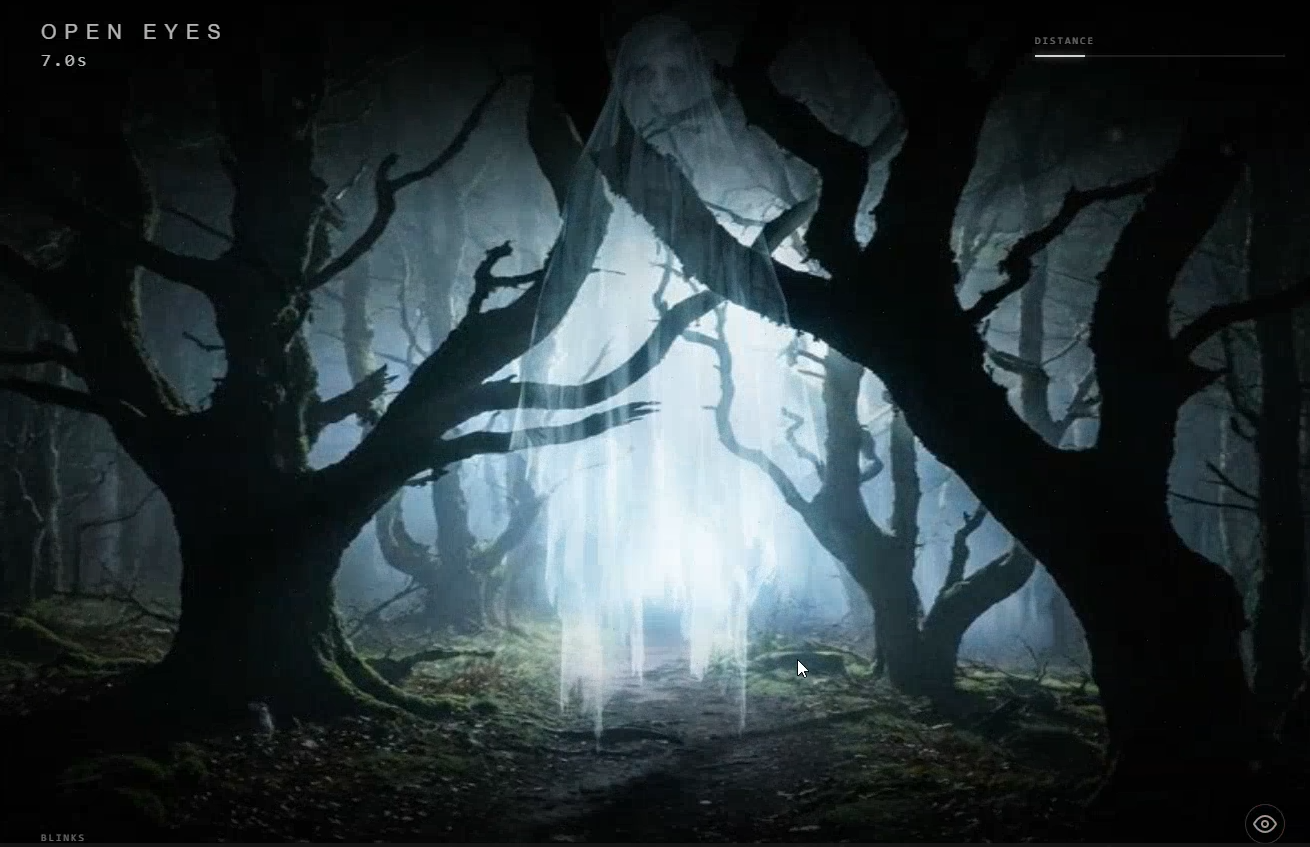
We’ve all played horror games where monsters jump out at us, but what if the game could watch you back? What if your own physiological responses—blinking, looking away, losing focus—directly influenced the game’s outcome? That’s the concept behind “OPEN EYES,” a browser-based psychological horror game that turns your webcam into a game controller.
The core mechanic is deceptively simple: maintain eye contact with a creature, and it stays frozen. Blink or look away, and it inches closer. Survive as long as you can. The brilliance lies in how this seemingly simple interaction creates genuine tension without any traditional controls—your body becomes the controller.
But how does this actually work? How can a browser track your eyes in real-time? And perhaps more importantly, how can it do so without sending your video data anywhere? Let’s dive into the technical architecture that makes this hands-free horror experience possible.
The Technical Stack: Browser APIs Meet Machine Learning
Modern browsers have evolved into surprisingly capable platforms for real-time computer vision. “OPEN EYES” leverages three key browser technologies:
1. MediaPipe FaceMesh: Google’s lightweight facial landmark detection model that runs entirely in the browser. Unlike earlier approaches using TensorFlow.js, MediaPipe provides optimized WebAssembly binaries that deliver consistent 30+ FPS performance even on modest hardware.
2. Canvas API: Multiple layered canvases handle the visual rendering—a background canvas for atmospheric effects, a game canvas for the creature and environment, and an effects canvas for overlays like vignettes and glitches.
3. Web Audio API: Dynamic audio layering creates the tension. Four separate audio tracks (background ambiance, repeater loops, jumpscare sounds, and game over music) mix based on game state and proximity to the creature.
What’s particularly interesting is what’s not in the stack: no backend servers, no cloud APIs, no data transmission. Everything happens locally in the user’s browser.
Eye Tracking Deep Dive: From EAR to Blendshapes
Traditional eye tracking in browser applications often uses the Eye Aspect Ratio (EAR) method. EAR calculates the ratio of vertical to horizontal distances between key eye landmarks:
const EAR = (vertical_distance) / (horizontal_distance);When eyes are open, EAR remains relatively constant (typically around 0.3-0.4). When blinking, the vertical distance decreases while horizontal distance remains similar, causing EAR to drop below a threshold (commonly 0.2).
However, “OPEN EYES” implements a more sophisticated approach using MediaPipe’s blendshapes—coefficients that describe facial expressions. The game specifically monitors:
eyeBlinkLeftandeyeBlinkRight(blink detection)eyeLookDownLeftandeyeLookDownRight(gaze direction)
const blinkLeft = face.blendshapes.find(s => s.categoryName === 'eyeBlinkLeft')?.score || 0;
const blinkRight = face.blendshapes.find(s => s.categoryName === 'eyeBlinkRight')?.score || 0;
const avgBlink = (blinkLeft + blinkRight) / 2;
const isBlinking = avgBlink > CONFIG.BLINK_BLEND_THRESHOLD;
This blendshape approach proves more accurate than pure EAR calculations, as it can detect partial blinks and distinguish between blinks and squints. The threshold (0.25 in the game) represents a normalized score where 0 means fully open and 1 means fully closed.
Privacy by Design: Local Processing as a Feature
In an era of increasing privacy concerns, “OPEN EYES” demonstrates that compelling computer vision applications don’t require cloud processing. The entire pipeline remains local:
- Webcam Access: The browser requests camera permission, but the video stream never leaves the GPU memory
- On-Device Inference: MediaPipe runs entirely in WebAssembly, processing frames without network calls
- No Storage: No video frames are saved to disk or transmitted anywhere
- No Telemetry: The game tracks only high scores in localStorage—no analytics, no tracking pixels
This architecture isn’t just good for privacy; it’s also good for performance. By avoiding network latency, detection happens in under 100ms, creating responsive gameplay that feels immediate and natural.
Performance Optimizations: Smooth Horror at 30 FPS
Running real-time facial detection while rendering complex visuals and managing audio could easily overwhelm browser resources. “OPEN EYES” employs several optimizations:
Multi-layer Canvas Rendering: Instead of redrawing everything on a single canvas each frame, the game uses three separate canvases:
- Background layer (static or slowly changing)
- Game layer (creature, environment objects)
- Effects layer (transient overlays, glitches)
This separation allows selective updates—background might update once per second while game elements animate at 30 FPS.
Throttled Detection Loop: Facial detection runs every 50ms (20 times per second), not every frame. This balances accuracy with performance, as blinks typically last 100-400ms—ample time for detection even at reduced frequency.
Audio Management: Audio tracks are loaded once and controlled via the Web Audio API. The game implements a sophisticated mixing system where:
- Background ambiance volume scales with survival time
- Repeater sounds trigger randomly every 3-4 seconds
- Jumpscare sounds play when the creature gets close
- Game over music replaces everything on loss
Coordinate Transformation Handling: A subtle but crucial optimization involves coordinate systems. The webcam feed displays mirrored (so users see themselves naturally), but canvas coordinates need to match this mirroring. The solution: flip X coordinates in JavaScript while leaving CSS transforms for display only.
// Flip X coordinates since video is mirrored via CSS
const landmarks = result.faceLandmarks[0].map(p => ({
    x: 1 - p.x, // Flip horizontally
    y: p.y,
    z: p.z
}));
Game Design Psychology: Tension Without Controls
Traditional horror games use jump scares, limited resources, or time pressure to create tension. “OPEN EYES” uses physiological responses:
The Blink Paradox: Humans blink involuntarily every 3-10 seconds. The game’s “3 blinks in 3 seconds” loss condition turns this involuntary action into a source of stress. Players become hyper-aware of their own blinking, creating a meta-layer of tension.
Proximity-Based Intensity: As the creature approaches (represented by distance decreasing from 100 to 0), several systems intensify:
- Visual effects increase (more glitches, stronger vignette)
- Audio layers add more tracks and increase volume
- The creature’s visual representation grows larger and more detailed
- Screen flicker frequency increases
HUD as Tension Barometer: The game interface provides minimal but crucial feedback:
- Distance meter (visual representation of safety)
- Blink counter (three dots that fill with recent blinks)
- Eye status indicator (SAFE, BLINK!, LOOK AHEAD)
This sparse interface keeps players focused on the creature while providing necessary game state information.
Challenges and Solutions: Real-World Deployment
Building a browser-based eye-tracking game presented several unexpected challenges:
Lighting Variability: Different lighting conditions affect detection accuracy. The solution was twofold: first, use blendshapes (more robust than EAR to lighting changes), and second, implement a calibration screen that gives users real-time feedback on detection quality.
Browser Compatibility: Early versions used TensorFlow.js, which had inconsistent performance across browsers. Switching to MediaPipe provided more consistent results, though Chrome still offers the best performance due to more advanced WebGL and WebAssembly support.
Permission Handling: Webcam access requires HTTPS (except localhost). The game includes clear instructions for local testing and emphasizes that no video leaves the device—addressing privacy concerns upfront.
Performance Variability: On lower-end devices, the game implements frame skipping and reduces visual effects dynamically. The detection loop adapts based on measured frame times, ensuring playability across hardware.
The Uncanny Valley of Detection: When face detection fails temporarily (looking away too far, poor lighting), the game needs to respond appropriately. The solution: treat lost face detection as “looking away” and advance the creature, but provide visual feedback (“FACE LOST”) so players understand what’s happening.
Conclusion: What Browser Games Can Be
“OPEN EYES” demonstrates several important trends in modern web development:
-
Browser as Game Platform: With WebAssembly, WebGL, and advanced APIs, browsers can now host experiences that rival native applications.
-
Privacy-Preserving AI: On-device machine learning enables powerful applications without compromising user privacy.
-
Novel Interaction Paradigms: By using physiological responses as inputs, games can create unique experiences that wouldn’t be possible with traditional controllers.
-
Accessible Development: The entire game exists in a single HTML file with embedded CSS and JavaScript—no build system, no dependencies beyond CDN-hosted libraries. This lowers the barrier for experimentation and iteration.
The most compelling aspect might be what the game represents conceptually: a shift from games that you play to games that play with you. When the game can watch your reactions and respond to them, the line between player and game blurs in fascinating ways.
As browser capabilities continue to expand—with WebGPU, improved WebNN APIs, and more sophisticated sensor access—we’re likely to see more experiences that leverage these capabilities for novel gameplay. “OPEN EYES” is just the beginning of what’s possible when games stop being something you merely interact with and start being something that interacts with you.
Want to try the game for yourself? You can play “OPEN EYES” directly in your browser at https://bzddbz.itch.io/open-eyes. Just remember: don’t blink. Don’t look away.